stats
Live stats
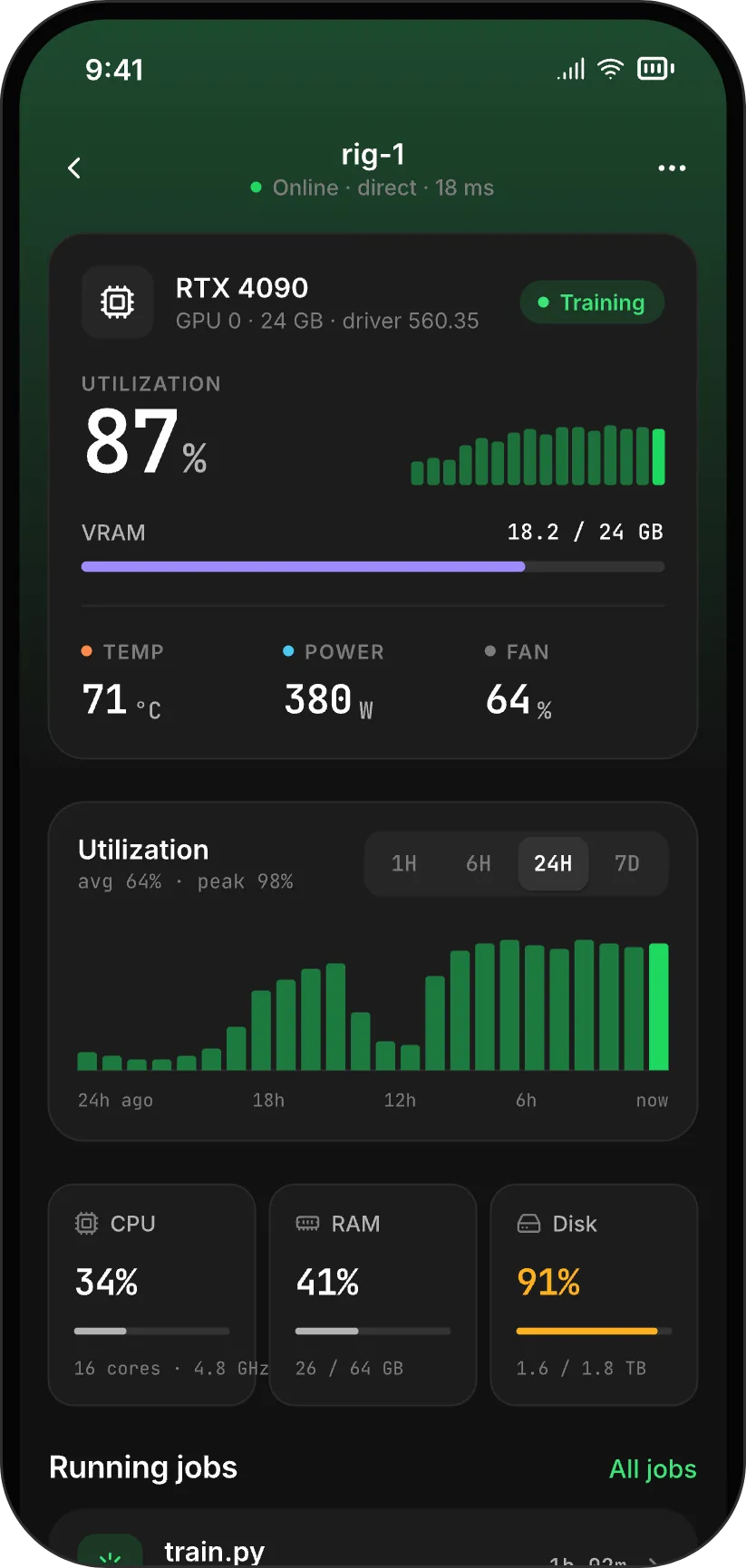
Utilization, VRAM, temperature, power and fan for each GPU, plus CPU, RAM and disk. Updated every second.
gpu 0 87% · 18.2/24 GB · 71 °C
Live stats, job alerts and one-tap actions for the machine with the GPU. On your phone, from anywhere, with nothing to set up.
what it does
stats
Utilization, VRAM, temperature, power and fan for each GPU, plus CPU, RAM and disk. Updated every second.
gpu 0 87% · 18.2/24 GB · 71 °C
alerts
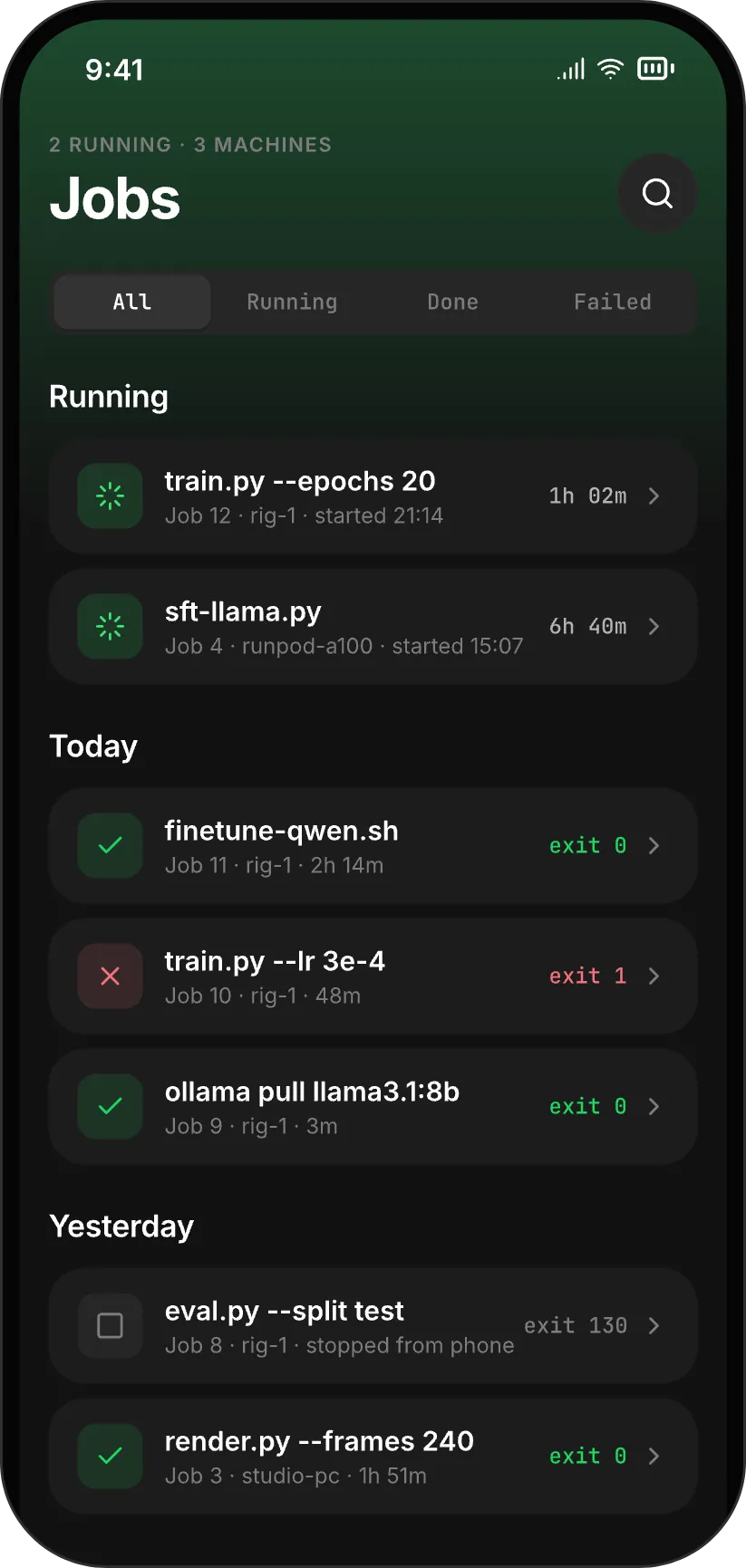
Wrap any command in pgpu run. Your phone buzzes when it finishes or crashes, with the exit code and run time.
job 12 exit 0 · 2h 14m
actions
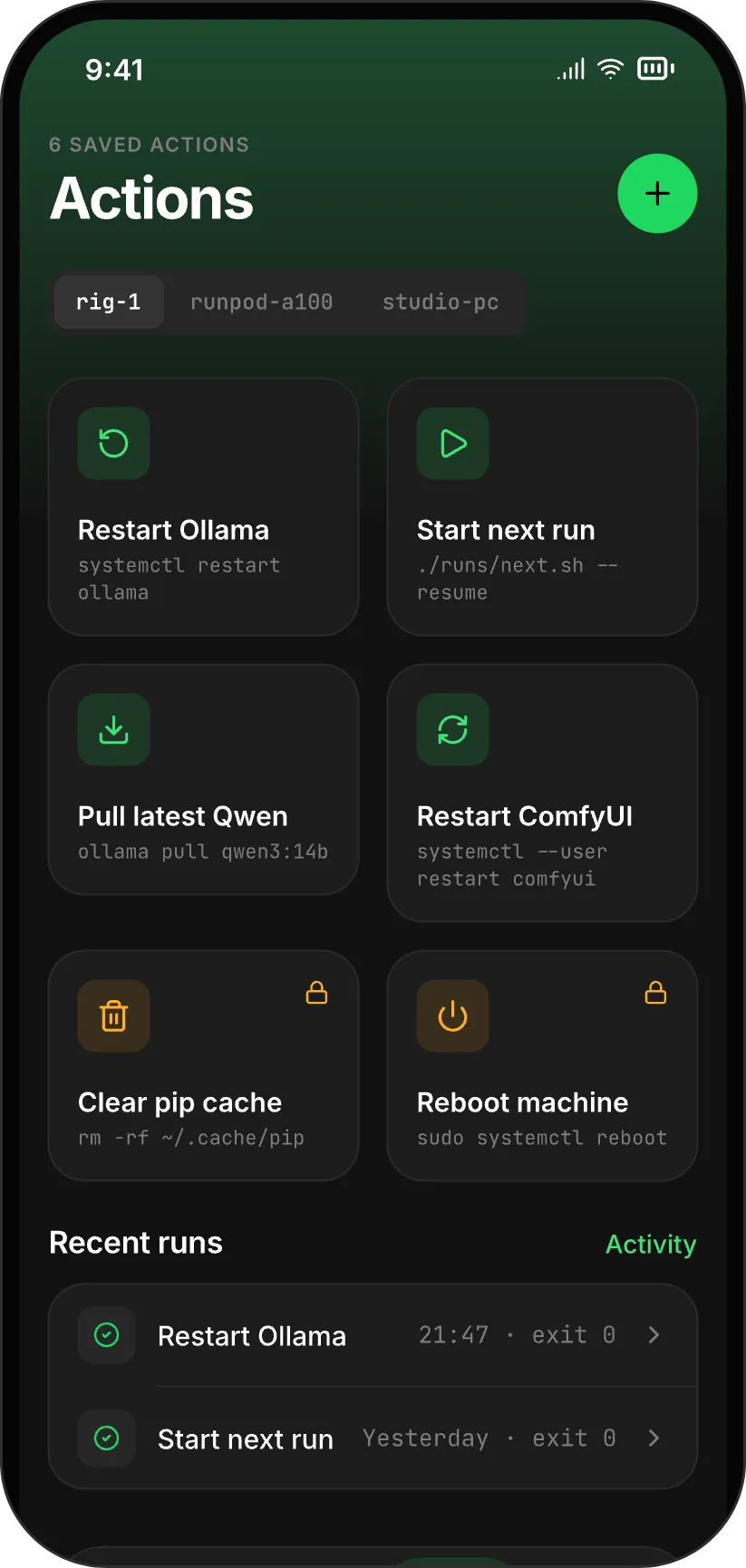
Save the commands you run all the time. One tap from your phone, Face ID for the risky ones.
restart ollama ok in 1.2 s
processes
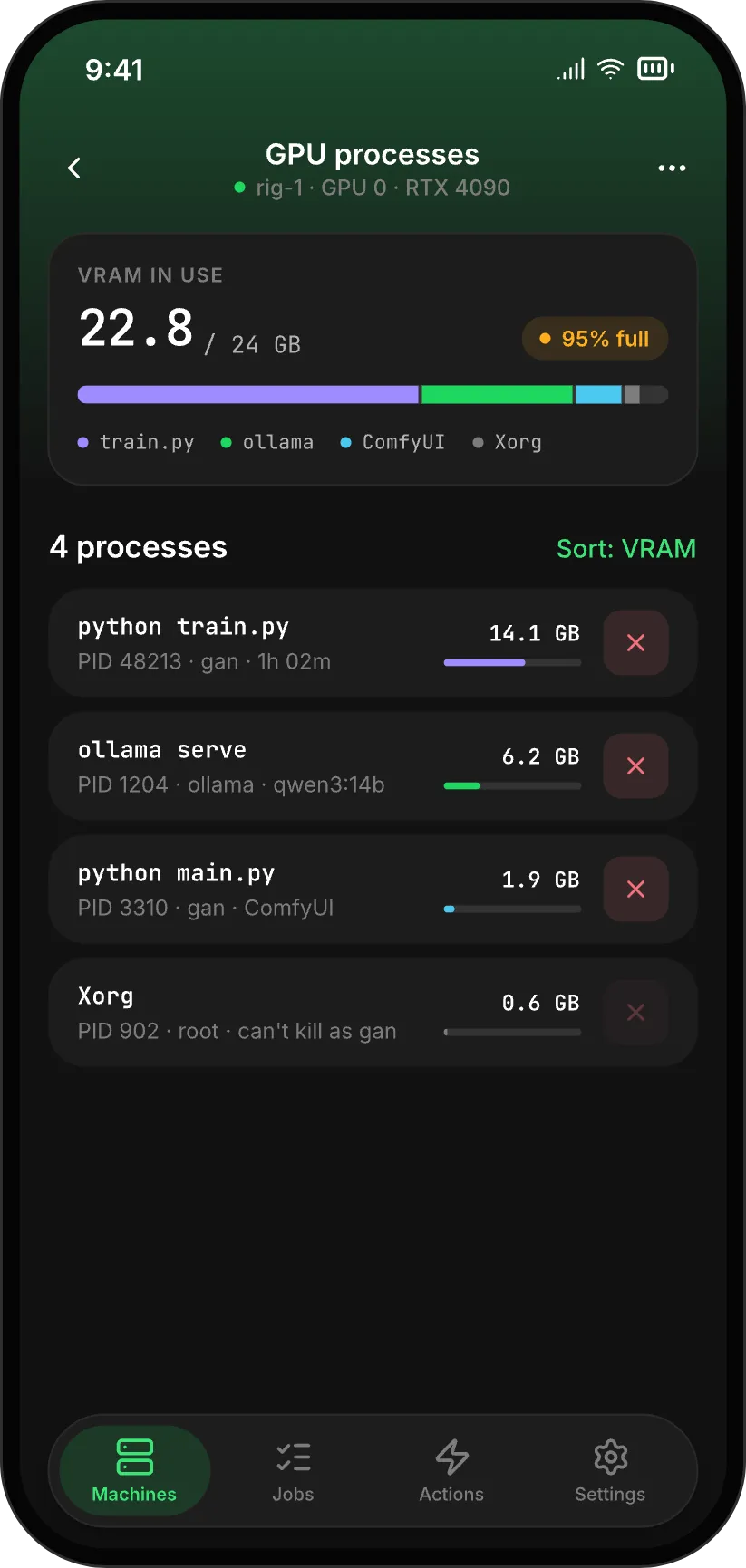
See which process holds which GPU and how much VRAM it uses. Stop a runaway one from your phone.
pid 48213 python · 14.1 GB
terminal in 1.1
A real shell on the machine, as your user. Check a log, restart a service, answer Claude Code.
gan@rig-1:~$ tail -f train.log
models in 1.1
Chat with the Ollama models on your own GPU. Pull, load and delete them from your phone.
qwen3:14b 42 tok/s
ai agents
Run a coding agent, or any long task, through pgpu run. Your phone gets the result when it ends, so you don't have to sit and watch it.
From 1.1, open the terminal on your phone to answer an agent that is waiting for you.

Job finished · rig-1
fix tests: claude exited 0 after 18m.
setup
Installs to ~/.local/bin and starts a user service. No sudo.
Shows a QR code. Scan it in the app and choose view, control or shell.
Your phone tracks the job and tells you when it ends.
For RunPod, Vast.ai and other GPU hosts. No ports needed.
linux x86_64 or arm64 · wsl2 and docker · nvidia driver for gpu stats · native windows in 1.2
security
Your phone and your machine each hold a key. Every connection is encrypted with QUIC and TLS 1.3 from one end to the other: direct when it can be, through a relay when it can't. Relays only pass along bytes they can't decrypt.
direct · quic + tls 1.3
or through a relay that sees encrypted bytes only
pricing
Pro adds machines, a month of history and every alert type, for $4 a month or $36 a year. Every plan includes the open-source agent and end-to-end encryption.
| Feature | free | pro | team · later |
|---|---|---|---|
| Price | $0 forever | $4 a month, or $36 a year | $12 per seat a month |
| Machines | 1 | unlimited | shared, 1 to 5 people |
| History | 24 hours | 30 days | 30 days |
| Stats, jobs, quick actions, processes | Included | Included | Included |
| Terminal and local models (1.1) | Included | Included | Included |
| Job finished and crashed alerts | Included | Included | Included |
| Temperature, disk, offline and Ollama alerts | Not included | Included | Included |
| Custom alert thresholds | Not included | Included | Included |
| Home-screen widget and Live Activity (1.2) | Not included | Included | Included |
| Roles, audit export, alerts to the whole team | Not included | Not included | Included |
| Custom relays and webhook alerts | Included | Included | Included |
| Join the waitlist | Join the waitlist | Get notified |
questions
No. The phone and the agent connect directly when they can and through an encrypted relay when they can't. There is nothing to configure.
No. Stats, logs, the terminal and chats are end-to-end encrypted between your phone and your machine. Alerts carry only a short text like “Job finished · rig-1”.
Linux with an NVIDIA GPU, including WSL2, Docker, RunPod and Vast.ai. Without a GPU you still get CPU, RAM and disk. Native Windows comes in 1.2.
Yes. Run them with pgpu run to get an alert when they finish. The terminal in 1.1 lets you answer them from your phone.
Yes, under MIT or Apache-2.0. You can read every line that runs on your machine before you install it.
The private beta for iOS and Android opens to the waitlist first. Join, and we'll email you when it's ready.
beta
iOS and Android. Confirm your email and we'll write when the beta opens. Every email has a one-click unsubscribe.